Software

Download Production Pro

Run your show from the desktop, and put tally, intercom and the live Event Flow on every crew member's phone. Free to download for VIDIKOM customers.

Latest version   Released  
Director
Windows desktop

Production Pro for Windows

The director's app: switcher and camera control, the production room, intercom hub and the Event Flow run sheet.

  • Windows 10 or 11, 64-bit
  • Same network as your switcher and crew
Download for Windows
Version   .exe installer
SHA-256 checksum 
Crew
Android phones

VIDIKOM Crew for Android

Tally, hands-free intercom, and Happening now / Up next from the Event Flow, right on the crew member's phone.

  • Android 7.0 or newer, 64-bit phone
  • Join with the room number and PIN from your director
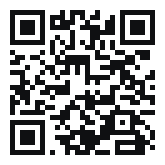
QR code to open this page on your phone On a computer? Scan this with your Android phone to download it there.
Download APK
Version   .apk
SHA-256 checksum 
Coming soon
iPhone

VIDIKOM Crew for iPhone

The iPhone app is on its way to the App Store. Until then, crew can use the same tally, intercom and Event Flow screens in Safari.

  • iOS 15 or newer
  • In Safari tap Share, then Add to Home Screen

Open the crew web app
Works on iPhone and iPad
Getting started

Install in a few minutes

Windows

  1. Run the downloaded installer.
  2. If Windows SmartScreen appears, choose More info, then Run anyway.
  3. Open Production Pro from the Start menu and sign in.

Android

  1. Tap Download APK on your phone and open the file.
  2. If asked, allow your browser to install unknown apps.
  3. If an older VIDIKOM Crew won't update, uninstall it first, then install again.
  4. Open VIDIKOM Crew and enter the room number and PIN.

Joining a production

  1. The director starts a room in Production Pro.
  2. Crew join with the room number and PIN, or scan the room QR.
  3. With an Event Flow running, Happening now and Up next show on the home screen.
What's new

Version  

  • New lookDesktop and mobile apps redesigned to match vidikom.app, with dark and light modes.
  • Event Flow on the crew home screenCrew in a production room with a live Event Flow see what is happening now and what is up next.
  • Secure roomsJoining a production room needs the room number and its PIN.
  • IntercomSmoother, drop-free crew intercom audio.

Need help installing?

Our team can walk you through setting up Production Pro and your crew phones.